
Table of contents
- What Is a Virtual Assistant?
- What Tasks Can a Virtual Assistant Take Off Your Plate?
- Virtual Assistant vs In-House Staff vs AI Tools: Which One Fits Your Business Best?
- How Much Does Hiring a Virtual Assistant Cost in the US?
- Get More Done in Less Time with Xassure for Insurance Teams
- Final Thoughts
- Frequently Asked Questions
Some days, it feels like running a business means doing everything except the work that actually drives growth. That’s exactly why virtual assistants have become essential. The global virtual assistant market is expected to grow at over 22.3% CAGR through 2030, as businesses shift toward flexible, remote support.
Even more telling, over 37% of small businesses already outsource tasks, with adoption continuing to rise. Understanding what a virtual assistant does, and how specialised roles like insurance VAs fit in, helps you delegate smarter, reduce overhead, and scale efficiently.
In this guide, you’ll learn how VAs work, what they handle, and how to choose the right support for your business.
What Is a Virtual Assistant?
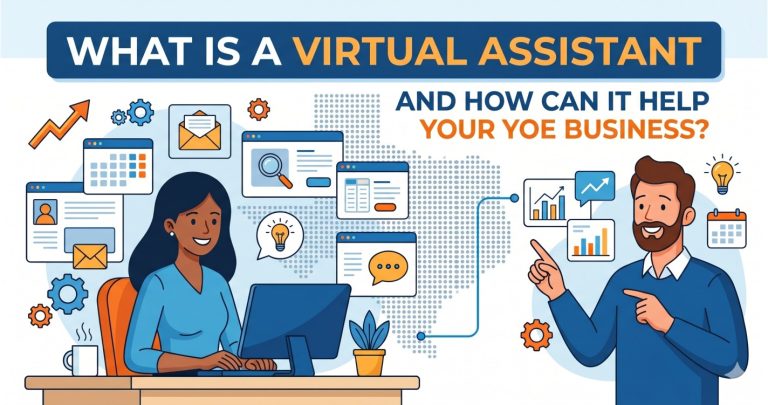
A virtual assistant, or VA, is a remote professional who helps businesses handle day-to-day work without being physically present in the office. Instead of hiring a full-time in-house employee for every recurring task, businesses can delegate selected responsibilities to a VA based on their needs, workload, and budget.
At a basic level, a virtual assistant helps take repetitive, time-consuming work off your plate. But in practice, the role is much broader than that. A VA can support administrative work, customer communication, scheduling, research, reporting, data management, and even industry-specific tasks.
As businesses grow, many small but necessary tasks start taking up too much time. These tasks may not require a full-time hire, but they still need to be done accurately and on time. That is where a virtual assistant becomes useful.
A VA helps businesses:
- Reduce time spent on repetitive work
- Improve response times and day-to-day organisation
- Avoid overloading core teams
- Access support without the cost of full in-house hiring
- Stay flexible during busy periods or growth phases.
To avoid confusion, let’s quickly break down how virtual assistants differ from other outsourcing models.
Virtual Assistant vs BPO vs Call Center: What’s the Difference?
It’s easy to confuse virtual assistants with BPO services or call center roles, but they serve different purposes.
1. Virtual Assistant (VA):
Provides flexible, one-on-one support tailored to your business. A VA can handle a mix of tasks like admin, coordination, research, and even specialised workflows, working closely with your team.
2. BPO (Business Process Outsourcing):
Focuses on large-scale, process-driven work. Tasks are handled by teams, usually standardised, repetitive, and volume-based with less personalisation.
3. Call Center Agent:
A specific role within customer service. Primarily handles inbound/outbound calls, often in a structured, high-volume environment.
In simple terms, a VA offers personalised, multi-task support, while BPOs and call centers are built for scale and repetitive processes.
Once you know what a virtual assistant is, the next question is what they actually handle day to day inside a business.
What Tasks Can a Virtual Assistant Take Off Your Plate?
A virtual assistant can support the day-to-day work that keeps your business running but often takes too much time away from core priorities. The role is not limited to inbox management or scheduling. Depending on the business, a VA may handle administrative work, customer communication, operational support, research, reporting, and industry-specific tasks that require accuracy and consistency.
By taking ownership of routine, process-driven work, a VA helps business owners, managers, and internal teams focus on sales, growth, strategy, and client relationships.
Some of the core areas where VAs support your business are:
| Support area | What a VA typically handles | Why it matters |
| Administrative support | Calendar management, inbox handling, appointment scheduling, document preparation | Keeps daily work organised and on track |
| Customer support | Responding to basic queries, follow-ups, ticket updates, client coordination | Improves response time and customer experience |
| Operations support | Data entry, report updates, vendor coordination, workflow tracking | Reduces internal workload and delays |
| Research support | Market research, lead research, competitor tracking, and information gathering | Helps teams make faster, informed decisions |
| Back-office support | CRM updates, file management, invoice follow-ups, record keeping | Improves consistency and process control |
| Specialized support | Insurance admin, compliance documentation, claims follow-ups, industry-specific tasks | Adds value in process-heavy sectors |
If you’re looking to put this into action with the right support in place, the next step is choosing a solution that fits your workflow.
Once you know what virtual assistants do, it also helps to understand the technology that makes today’s support models faster, smarter, and easier to scale.
Technologies Behind Virtual Assistants
Virtual assistants today are not just supported by basic tools; they operate within a combination of communication platforms, workflow systems, and AI-driven technologies that make task execution faster, more accurate, and scalable.
Here’s a quick overview of the core technologies behind VAs:
- Natural Language Processing (NLP): Helps systems understand written or spoken requests. This allows tasks like email sorting, query handling, and request interpretation to happen faster and with better accuracy.
- Speech-to-Text: Converts voice inputs such as calls, voicemails, or meeting recordings into text. This is useful for documentation, note-taking, and tracking conversations without manual effort.
- Text-to-Speech: Turns written responses into voice output. This is often used in voice-based support systems or automated call handling workflows.
- Language Models and AI Assistants: Support drafting emails, summarising information, generating reports, and assisting with repetitive content tasks. They help reduce the time spent on routine writing and data processing.
- Search and Retrieval Systems: Allow quick access to internal documents, customer data, or knowledge bases, helping VAs respond faster without searching manually across multiple tools.
- Workflow Automation Tools: Connect different apps and trigger actions automatically, like sending reminders, updating CRM records, or assigning tasks, reducing repetitive manual work.
Now that you know what supports a virtual assistant behind the scenes, it is easier to see how the role works in a real business setting from day one.
How a Virtual Assistant Fits Into Your Business Workflow?
A virtual assistant works by taking ownership of specific tasks, processes, or support functions that your business needs regularly but does not always need a full-time in-house employee to manage. Instead of sitting inside your office, the VA works remotely and stays connected through email, chat, video calls, project management tools, and business systems like CRMs or shared dashboards.
Here’s how the process usually works:
1. You identify the work that needs to be delegated
The first step is deciding which tasks are taking too much of your time or slowing down your team. These are usually repetitive, process-based, and important to daily operations. Common examples include:
- Email and calendar management
- Appointment scheduling
- Data entry and CRM updates
- Customer follow-ups
- Documentation and reporting
- Claims or policy support in insurance workflows
2. The virtual assistant is assigned a clear scope of work
A VA works best when the role is clearly defined. This means outlining:
- What tasks will they own
- How often do those tasks need to be done
- Which tools or systems will they use
- What outcomes or timelines are expected
3. The VA is onboarded into your systems and processes
Once hired, the VA is introduced to the tools and workflows your business already uses. This may include:
- Email platforms
- Shared calendars
- CRM systems
- Project management tools
- Internal SOPs or checklists
- Communication channels like Slack or Zoom
4. They begin handling tasks remotely as part of your daily operations
After onboarding, the VA starts managing assigned work independently or with light supervision, depending on the complexity of the role. For example:
- An admin VA may organise your calendar and filter priority emails
- A customer support VA may handle inbound queries and schedule follow-ups
- An insurance-trained VA may update claim records, track documents, and support policy servicing.
5. Communication and reporting keep the workflow aligned
A virtual assistant does not work in isolation. They stay aligned with your business through:
- Daily or weekly check-ins
- Shared dashboards or task boards
- Progress updates
- Escalation rules for urgent issues
- Performance tracking based on output, turnaround time, or accuracy
Once you understand how a virtual assistant works, the next step is knowing which type of support best matches your business needs.
Different Types of Virtual Assistants and What They Actually Help With
Not all virtual assistants offer the same kind of support. Some focus on general day-to-day tasks, while others are trained for more specialised, process-driven roles. Choosing the right type of VA helps you reduce training time, improve efficiency, and get better results faster.
To make it easier, here are the most common types of virtual assistants and what they typically handle:
1. Administrative Virtual Assistants
Administrative VAs handle routine tasks that keep your daily operations organised and running smoothly. They manage inboxes, schedules, data entry, and basic documentation, helping you stay on top of recurring work. This is usually the best starting point for businesses that need general support without hiring full-time staff.
2. Executive Virtual Assistants
Executive VAs support business owners and senior leaders by managing high-priority tasks and coordination. They handle complex scheduling, meeting preparation, and internal follow-ups, allowing leaders to focus more on strategy and decision-making instead of day-to-day logistics.
3. Customer Support Virtual Assistants
Customer support VAs help businesses stay responsive by managing customer queries, follow-ups, and support requests. They work across email, chat, or CRM systems to ensure timely communication, improving customer experience without the need for a full in-house support team.
4. Sales and Lead Generation Virtual Assistants
These VAs assist with early-stage sales activities like lead research, CRM updates, and follow-up coordination. They help keep the sales pipeline organised and moving, making it easier for your sales team to focus on conversions rather than administrative work.
5. Marketing Virtual Assistants
Marketing VAs support content and campaign execution by handling tasks like social media scheduling, email campaign setup, and blog publishing. They help maintain consistency in marketing efforts, especially for businesses that need ongoing support but not a full marketing team.
6. Bookkeeping and Back-Office Virtual Assistants
These VAs focus on internal processes such as record-keeping, invoice tracking, and data management. Their work ensures accuracy and organisation in back-office operations, which is critical for maintaining smooth business workflows.
7. Industry-Specific Virtual Assistants
Some businesses require more specialised support, especially in industries with structured workflows or compliance needs. Industry-specific VAs are trained in sector-specific processes, allowing them to contribute faster with minimal onboarding.
8. Insurance Virtual Assistants
Insurance VAs are trained to handle documentation-heavy and compliance-driven workflows. They assist with claims processing, policy servicing, client communication, and record management. This makes them especially valuable for insurance agencies, brokers, and healthcare teams dealing with insurance administration.
If you need specialised insurance support, Xassure offers trained virtual assistants to handle claims, documentation, and workflows efficiently, without adding overhead.
Now that you’ve seen the different types of virtual assistants, the real question is, what impact do they actually make on your business?
Benefits of Hiring a Virtual Assistant
Hiring a virtual assistant is about creating more space for your team to focus on work that directly drives revenue, service quality, and growth. For many businesses, a VA becomes a practical way to improve efficiency without the cost and complexity of expanding in-house too quickly.
Here are the main benefits businesses see when they bring a virtual assistant into their workflow:
- More time for high-value work: A virtual assistant takes care of recurring tasks like scheduling, follow-ups, updates, and documentation, so your team can focus on strategy, sales, client relationships, and core operations.
- Lower overhead than full-time hiring: Businesses can get ongoing support without the added costs of office space, equipment, benefits, and full-time employment commitments.
- Better day-to-day organisation: VAs help keep calendars, inboxes, records, and workflows in order, which reduces missed tasks, delays, and last-minute confusion.
- Improved response time: Whether it is customer communication, lead follow-ups, or internal coordination, a VA helps keep work moving and prevents important requests from sitting too long.
- More flexibility as business needs change: Support can often be adjusted based on workload, seasonality, or business growth, which makes it easier to scale without overcommitting.
- Reduced pressure on internal teams: When admin and process-heavy work is delegated properly, your in-house team has more capacity and less operational overload.
- Access to specialised support when needed: Businesses can hire VAs with experience in customer service, marketing, executive support, or industry-specific areas like insurance, rather than training someone from scratch.
- Stronger process consistency: A VA working from clear systems and SOPs can improve accuracy and consistency across repetitive tasks, especially in documentation-heavy workflows.
The benefits are clear, but the best choice still depends on the kind of support your business actually needs.
Virtual Assistant vs In-House Staff vs AI Tools: Which One Fits Your Business Best?
Businesses today have more than one way to get work done. They can hire an in-house employee, bring in a virtual assistant, or use AI tools to speed up routine tasks. Each option has its own strengths, but they solve different problems. The right choice depends on whether you need human judgment, day-to-day flexibility, task automation, or a mix of all three.
| Factor | Virtual Assistant | In-House Employee | AI Tools |
| Setup | Quick and flexible | Slower hiring and onboarding | Fast to deploy |
| Cost | Lower overhead | Highest overall cost | Usually lowest entry cost |
| Human judgment | Yes | Yes | Limited |
| Flexibility | High | Lower | High |
| Scalability | Easy to scale | Slower to scale | Very scalable |
| Best for | Admin, support, operations, specialized workflows | Core business roles, team collaboration, leadership support | Repetitive tasks, drafting, summarising, automation |
Once you know which kind of virtual assistant your business needs, the next question is what that support is likely to cost in the market.
How Much Does Hiring a Virtual Assistant Cost in the US?
Virtual assistant costs in the US vary based on skill level, location, and the type of work involved. On average, US-based VAs charge around $25.6 per hour, while freelance platforms may offer lower starting rates for basic tasks.
Here’s what actually impacts the cost:
- Type of tasks: General admin work costs less than executive or specialised roles like insurance support.
- Experience level: Skilled VAs charge more but require less supervision and deliver better accuracy.
- Hiring model: Freelancers are usually more affordable than US-based hires or agencies
- Specialisation: Industry-trained VAs (e.g., insurance) cost more but reduce errors and training time.
Now that you’ve seen what virtual assistants can do and where they fit, the next step is choosing a solution that’s built specifically for insurance workflows.
Get More Done in Less Time with Xassure for Insurance Teams
Xassure is a service built specifically for insurance agencies that want to streamline repetitive work, improve responsiveness, and free up more time for client-facing and revenue-generating tasks.
Xassure is a one-stop shop for insurance agents, offering insurance-trained virtual assistants, an AI receptionist, bookkeeping, and marketing support. Its team is trained on agency systems such as AMS 360, EZLynx, HawkSoft, Applied Epic, NowCerts, and QQ Catalyst.
For agencies that need insurance-specific support, Xassure offers trained virtual assistants for:
- Commercial lines support for ACORDs, renewals, endorsements, certificates, and carrier submissions.
- Personal lines support for quotes, remarketing, cancellations, mortgage changes, and proof of insurance.
- Life and health support for applications, underwriting follow-ups, commission tracking, beneficiary updates, and annual review preparation.
- Financial advisor support for account paperwork, ACAT transfers, RMD processing, compliance documents, and meeting preparation.
Xassure also provides a managed support structure, including a dedicated VA, an account manager, and a program success manager, along with a client dashboard for live activity, work reports, communication, and task assignment.
If your agency needs insurance-trained support that can take repetitive work off your team’s plate, Xassure offers a practical way to start.
Try Xassure free for 2 weeks and see how trained VA support can simplify your daily insurance workflows.
Final Thoughts
Virtual assistants help businesses stay organised, responsive, and efficient without the cost of expanding in-house. From handling daily admin to supporting specialised workflows like insurance operations, the right VA can free up time and improve overall productivity.
As businesses grow, combining the right people, processes, and tools becomes essential, and that’s where solutions like Xassure fit in.
If you’re ready to streamline your operations and get more done with less effort, schedule a call with Xassure to explore the right virtual assistant support for your business.
Frequently Asked Questions
A good virtual assistant should have strong communication, time management, and organisational skills. They should also be comfortable with tools like email, CRMs, and spreadsheets, and have the ability to follow processes accurately with minimal supervision.
Start by clearly defining tasks, sharing SOPs, and giving access to necessary tools. Regular check-ins, clear communication channels, and setting expectations early help ensure a smooth onboarding process.
Yes, but it depends on the hiring process and safeguards in place. Using NDAs, secure systems, and choosing a reliable service provider ensures sensitive information is handled responsibly.
It depends on your workload. Some businesses start with part-time support (10–20 hours per week) and scale up as needed, while others require full-time assistance for ongoing operations.
Yes, many virtual assistants work with global clients and adjust their schedules to match business hours or provide extended coverage, depending on the requirement.